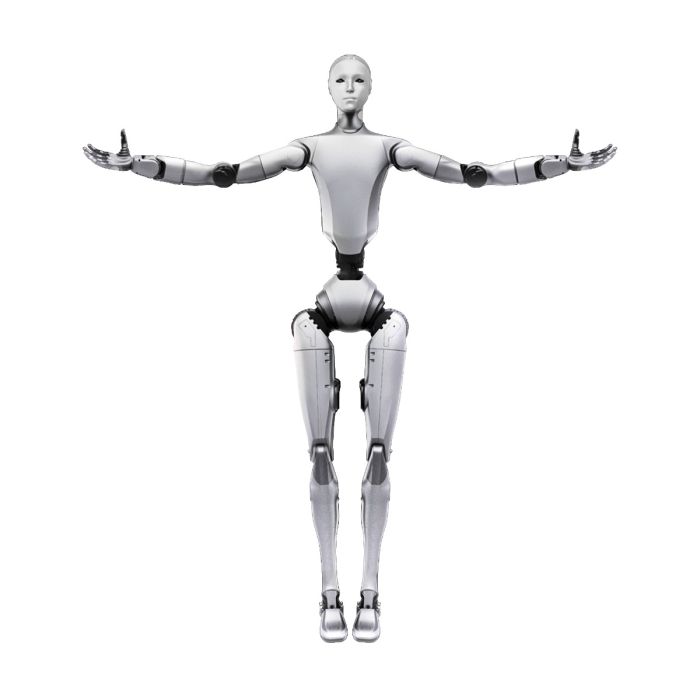
Khám phá robot hình người Unitree H2—robot hai chân kích thước con người với 31 bậc tự do và trí tuệ nhân tạo tiên tiến cho nghiên cứu, dịch vụ và ứng dụng công nghiệp.
Các cơ sở giáo dục có thể triển khai H2 như một nền tảng giảng dạy robot tiên tiến, đào tạo sinh viên về AI, nhận thức, cơ khí và tích hợp robot trong thế giới thực.
ການແສດງແລະສື່ມວນຊນ
[
"The Unitree H2 ແມ່ນຖືກແສດໃນການຕະຫຼາດ, ການສະແດງແລະງານສື່ມວນເພື່ອແສດສິ່ງທີ່ສູງສຸດຂອງຫຼັກການລົດຈິດສະດຸດສົດສົດ, ດຶງດູດໃຈສູງສຸດສໍາລັບບຸກຄົນທີ່ສົນໃຈໃນການລົດຈິດ, AI ແລະເທັດໂນໂລຊີທີ່ສະມັດ."
]
The Unitree H2 is an advanced humanoid robot known for its agility, versatile applications, and cutting-edge robotics technology. It is designed to perform a variety of tasks in research, inspection, and industrial environments, offering a combination of speed, stability, and intelligent navigation capabilities.
The Unitree H2 operates as an advanced quadruped robot utilizing a combination of sensors, actuators, and onboard computation to navigate and perform tasks. It employs sophisticated algorithms for balance and movement control, enabling it to walk, trot, and maneuver over various terrains with agility. The Unitree H2 is equipped with sensors to perceive its environment and can be programmed for autonomous or remote-controlled operations, making it suitable for research, inspection, and industrial applications.
The Unitree H2 is a significant advancement in robotic technology due to its versatile applications in various fields including research, industrial inspection, and autonomous operations. Its agility, robust design, and intelligent navigation capabilities make it a valuable tool for tasks requiring reliable mobility and adaptability in complex environments.
Unitree H2 benefits include seamless integration in human-oriented environments, advanced motion and manipulation capabilities, interactive AI and sensors, accessible developer platform and versatility across sectors including education, service and research.
Write a Review
Related Products
Navigating through the elements of the carousel is possible using the tab key. You can skip the carousel or go straight to carousel navigation using the skip links.
Press to skip carousel
We found other products you might like!
Navigating through the elements of the carousel is possible using the tab key. You can skip the carousel or go straight to carousel navigation using the skip links.
Press to skip carousel